
Bob Evans
Bob Evans Restaurants, LLCFood & Drink
4.71.43K Reviews
- Version
- 2.6
- Installs
- 100.00K
- Age Rating
- Everyone
Screenshots
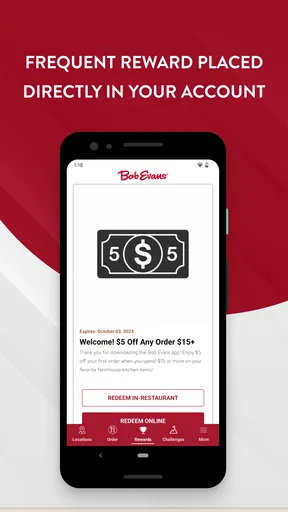
Our Review of Bob Evans
 Analysis by Appyee
I found the Bob Evans app most useful when I treated it as a quick bridge between deciding what to eat and placing an order, rather than as a complete replacement for every restaurant visit. It is a free Food & Drink app from Bob Evans Restaurants, LLC, built around pickup, delivery, and rewards connected with dining at Bob Evans. That focus makes it easy to understand, but it also means its value depends heavily on whether you already choose this restaurant and whether the location you want to use supports the ordering option you need.
My overall impression is positive. The app has a 4.7 average from around 7,600 ratings, with roughly 1,400 written reviews, and it has passed 100,000 installs. Those numbers suggest that it is doing the basics well for a large group of diners. I would recommend it to someone who visits Bob Evans regularly, wants a more organized way to order ahead, or likes keeping restaurant rewards in one place. I would be less enthusiastic about installing it for a single occasional order when a normal in-person visit or a familiar delivery service would be simpler.
Where the Bob Evans app can slow you down
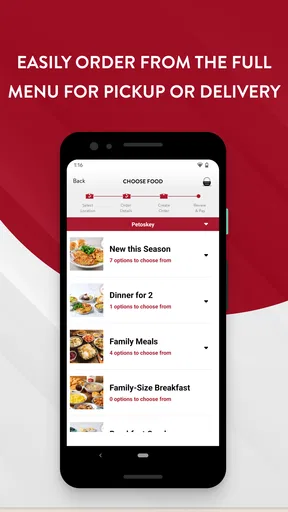
The first point of friction is usually not the food selection itself. It is getting the app pointed at the correct restaurant and ordering method. Pickup and delivery are different workflows, and choosing the wrong one early can make the rest of the process feel confusing. Before browsing deeply, I recommend deciding whether you are going to collect the meal yourself or have it brought to you. That small choice helps prevent rebuilding the order later.
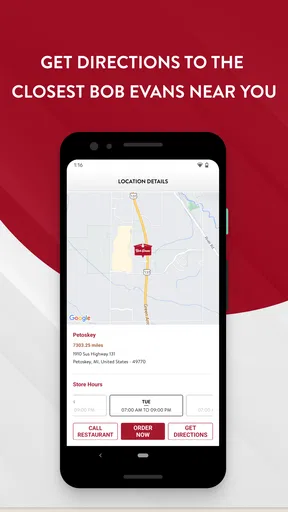
Location selection deserves more attention than it receives in a short store description. A nearby restaurant may not be the most convenient one for your route, and the closest location may not offer the same practical ordering choice at the moment you need it. I would check the selected restaurant before spending time customizing a meal. This is especially important when ordering from a car, from work, or for a household where someone else will collect the food.
Another common sticking point is the difference between browsing and completing an order. Looking through a menu can feel like a casual activity, but ordering requires more commitment: the restaurant, fulfillment method, timing, and final basket all need to line up. If something appears unavailable or the app does not let you continue, I would first review those choices rather than repeatedly tapping the checkout control.
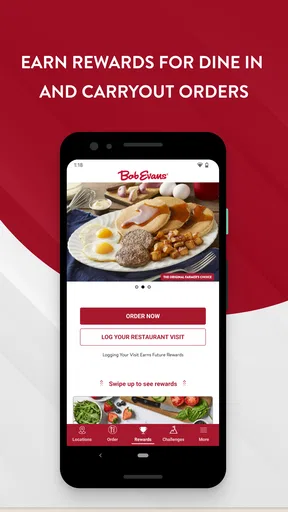
Rewards can also create a subtle expectation problem. The app promotes earning rewards through dining at Bob Evans, but a reward program is only helpful when you understand when and how your activity is recognized. I would avoid assuming that simply opening the app or placing every kind of order automatically produces the result you expect. Read the wording shown in the relevant rewards area and keep the receipt or order confirmation when the visit matters to you.
The most useful habit is to verify the restaurant and order type before building the basket. It takes only a moment, yet it prevents several avoidable mistakes: sending a pickup order to the wrong branch, preparing a delivery order for an address you no longer use, or discovering late in the process that your preferred option is not available.
What to check before creating an account or order
On an iPhone or iPad, the app requires at least iOS 11, and its current version is 2.6. That is a relatively accessible requirement for many Apple devices, but an older phone may still be the reason an installation or update does not behave normally. I would check the operating system first, especially if the app will not install, closes unexpectedly, or appears stuck during an update.
The app is rated for Everyone, which makes it suitable as a straightforward household ordering tool. That rating does not remove the need to check practical details yourself. For example, if a family member is ordering for several people, confirm the selected items and instructions before submitting rather than assuming the app will infer preferences from an earlier visit.
Because the app is free, there is little financial risk in trying it, but free installation does not make every ordering route equally convenient. If you already have a delivery application that stores your address and payment preferences, that alternative may involve fewer steps for a one-off delivery. The Bob Evans app becomes more compelling when you want the restaurant’s own ordering path and rewards experience, particularly for repeat visits.
I also recommend preparing the practical information before opening the checkout screen. Know the destination for delivery, the approximate collection time for pickup, and whether the order is for one person or several. This is not glamorous advice, but it makes the app feel much faster because you are not making logistical decisions while trying to finish the meal selection.
If the app requests an update, I would install it before assuming the ordering system is broken. Version mismatches can produce odd behavior, particularly when an older installation has been left untouched for a while. After updating, close and reopen the app instead of continuing inside a screen that may have been loaded by the previous version.
A reliable setup routine for first-time users
My preferred first-use routine is simple. I open the app, identify the Bob Evans location I actually plan to use, choose pickup or delivery, and then browse the menu. I review the basket before moving forward, paying attention to quantities and any choices that change the order. Only after that do I continue with the final ordering steps.
This sequence is better than starting with a favorite meal and sorting out the restaurant later. A meal that looks available while browsing may not be suitable for the selected fulfillment route, and changing the location can force you to review the basket again. The extra check is worthwhile when the order is for a group or when timing is important.
For rewards, I would set aside a separate minute rather than trying to understand them while standing in a restaurant queue. Look for the account or rewards area, review the status shown there, and make sure you are using the intended account. If more than one person in a household uses the app, mixing accounts can make reward activity appear missing even when the order itself was successful.
A useful practical tip is to take a moment to save or note the order confirmation details after completion. I do not mean keeping unnecessary screenshots forever; I mean having enough information to refer back to the order if the restaurant, delivery route, or reward activity needs checking. This is particularly helpful when ordering for someone else and handing the confirmation to another person.
Recovering when an order does not go as planned
When the app appears stuck, I start with the least disruptive fix: confirm the internet connection, leave the current screen, and reopen the app. If that does not help, I check whether the selected location and fulfillment method are still correct. These steps address the most likely workflow problems without immediately deleting anything or rebuilding the entire order.
If a basket disappears, I would not assume that the food choices are permanently lost. First, I would check whether the app has returned to a restaurant-selection screen or changed the order type. A change in location can make a previous basket irrelevant, so rebuilding may be necessary, but it is better to identify the cause before repeating the process blindly.
For an order that seems to have submitted but does not look complete, I would avoid pressing the final button several times. Repeated attempts can create uncertainty about whether more than one order was sent. Instead, I would look for confirmation inside the app and check any confirmation information already shown. If the status remains unclear, contacting the restaurant directly is more sensible than continuing to submit duplicates.
Delivery deserves a cautious approach because the app is only one part of the process. If the order is accepted but the arrival timing changes, the issue may involve restaurant preparation or the delivery route rather than the interface. I would keep the order details available and contact the appropriate restaurant or service channel instead of repeatedly reinstalling the app.
Pickup has its own recovery pattern. If you arrive and the staff cannot immediately find the order, provide the name or confirmation information associated with it and verify the selected location. People often assume the app chose the restaurant they had in mind, but a location check can resolve the problem quickly, especially in areas with more than one branch within driving distance.
When a rewards balance does not change as expected, I would first confirm that I was signed into the same account used for the visit or order. I would then review the activity after allowing the normal workflow to finish, rather than judging it while the order is still being prepared. Keeping the confirmation information gives staff something concrete to investigate if the account activity still looks wrong.
When the app is not the actual cause
It is easy to blame the application when the real issue is outside it. A weak connection can make a menu appear incomplete, interrupt a checkout step, or leave an old screen visible. Switching between a reliable Wi-Fi connection and mobile data, then reopening the app, is a reasonable general check. I would not repeatedly tap buttons while the connection is unstable.
The restaurant itself can also be the limiting factor. A location may be busy, temporarily unable to handle a particular order route, or working through an operational change. The app can present the ordering path, but it cannot guarantee that the kitchen will have every item ready at every moment. If the problem concerns preparation, collection, or delivery timing, a direct conversation with the restaurant is usually more useful than changing phone settings.
Device storage and operating-system condition matter as well. If the phone is nearly full or other applications are failing, an isolated problem with Bob Evans may actually be part of a wider device issue. I would test another app, restart the phone, and confirm that the operating system meets the app’s requirement before concluding that the restaurant application is defective.
There is also a human factor. A large order with substitutions, separate meals, and a tight pickup schedule creates more opportunities for mistakes than a simple individual order. The app may be working correctly while the order itself is difficult to verify. For group meals, I would read the basket aloud or compare it with the original request before submitting. That small review is more valuable than rushing to the final screen.
Compared with ordering at the counter, the app gives me more time to review a basket privately and makes repeat ordering less dependent on a busy queue. Compared with a general delivery service, it is more focused on Bob Evans and its own rewards relationship, while a third-party service may be more convenient if I am already ordering from several restaurants. The trade-off is clear: this app is specialized, not a universal food-ordering hub.
Who will get the most from it
I think the strongest audience is a regular Bob Evans customer who wants pickup or delivery without starting from scratch each time. It is also useful for someone coordinating meals for a household, provided that person checks the location, order route, and basket carefully. The rewards element adds a reason to keep using the app instead of treating it as a one-time menu viewer.
A realistic example would be a weekday evening when I am leaving work and want dinner ready near home. I would select the restaurant along my route, choose pickup, build the order before driving, and review the confirmation before leaving. That workflow can reduce waiting and avoids making a decision while standing at the counter. If the timing becomes uncertain, I would check the order status and contact the restaurant rather than placing it again.
The app is less suitable for someone who rarely eats at Bob Evans, prefers comparing many restaurants in one place, or already has a delivery service that handles every address and payment detail smoothly. It may also be the wrong choice when a diner needs immediate personal assistance with a complicated request. In that case, speaking with restaurant staff can be clearer than trying to express every detail through a mobile ordering flow.
Families should also decide whose account will be used before collecting rewards. A shared household routine can work well, but only if everyone understands which account is active. Otherwise, one person may expect to see activity that was attached to another login. This is a small organizational issue, yet it can matter more than the menu itself for frequent users.
My practical verdict after using it
I would describe Bob Evans as a focused, useful restaurant app rather than an essential app for everyone. Its free price makes experimentation easy, and the combination of ordering and rewards gives regular customers a reason to keep it installed. The strong average rating and substantial install base fit my experience: the basic idea is clear, and the app can make a familiar Bob Evans visit more organized.
Its weaknesses are mostly connected with context. The app cannot remove the need to choose the correct location, confirm the fulfillment method, or distinguish a technical problem from a restaurant or delivery issue. Users who rush through those decisions may feel that the app is unreliable when the real problem is an incorrect branch, an unclear order status, or a duplicated submission.
My advice is to install it if Bob Evans is already part of your routine. Set up the account calmly, check the selected restaurant before every important order, and keep confirmation details until pickup or delivery is settled. Use a general delivery alternative when variety or a familiar multi-restaurant workflow matters more than restaurant-specific rewards. For the right diner, this app is a practical shortcut; for everyone else, it is probably more specialized than necessary.
In the end, I like the app most when I use it deliberately: choose the route first, review the basket, and treat rewards as something to verify rather than assume. That approach keeps the useful parts of Bob Evans—convenient ordering and restaurant-focused rewards—while avoiding the most common sources of frustration. If you already know what you want and where you will collect it, the app earns a place on my phone. If you are only browsing for dinner ideas across many restaurants, I would choose a broader alternative instead.
Verdict
Strengths of Bob Evans
- Easy access to Bob Evans’ homestyle menu and restaurant information.
- Useful location finder helps identify nearby restaurants quickly.
- Online ordering can make pickup more convenient during busy periods.
- Menu includes familiar breakfast, lunch, dinner, and family meal options.
- Restaurant details and operating hours are easy to check before visiting.
Limitations of Bob Evans
- Ordering features and availability may vary by restaurant location.
- Menu prices, promotions, and item availability can change without notice.
- The app may offer limited value if no Bob Evans restaurant is nearby.
- Some users may still prefer third-party delivery services for wider coverage.
- Account creation or location permissions may be required for full functionality.
Similar Picks in This Category
View All
Rappi: Food Delivery, Grocery
Rappi, Inc - Delivery3.5

McDonald’s: Cupons e Delivery
Arcos Dorados4.3

Swiggy: Food Instamart Dineout
Swiggy4.7

Blinkit: Groceries & more
Blinkit4.8

foodpanda: food & groceries
Foodpanda GmbH a subsidiary of Delivery Hero SE4.0

Zomato: Food Delivery & Dining
Zomato4.7
Frequently Asked Questions
What is the Bob Evans app used for?
The Bob Evans app is designed to make ordering from Bob Evans Restaurant more convenient. Depending on your location and the services available there, you can browse the menu, customize meals, place pickup or delivery orders, find nearby restaurants, and review restaurant information. It is especially useful when you want to order ahead instead of waiting in line.
Can I order Bob Evans meals for pickup or delivery through the app?
Yes, the app generally supports ordering meals for pickup, while delivery availability depends on your selected restaurant and local service coverage. After entering your location, the app shows the options available in your area. Before confirming an order, carefully check the estimated preparation time, delivery fees, minimum order requirements, and the final total.
Does the Bob Evans app offer coupons, rewards, or special deals?
The Bob Evans app may provide access to promotional offers, digital coupons, restaurant specials, or rewards features when these programs are active. Available benefits can vary by region and may change over time. It is worth checking the offers section before ordering, because some promotions require an account, have expiration dates, or apply only to specific menu items and ordering methods.
Do I need an account to use the Bob Evans app?
Some basic features, such as browsing the menu, viewing restaurant locations, and checking general information, may be available without signing in. However, creating an account can make ordering more convenient by saving your contact details, favorite locations, order history, and preferred payment information. Account requirements and available features may differ depending on whether you use pickup, delivery, or rewards.
Is the Bob Evans app available on both Android and iPhone?
Bob Evans provides a mobile app for supported Android and iOS devices, although availability can depend on your country, device compatibility, and the current version offered in the official app stores. For safety, download it through Google Play or Apple’s App Store rather than unofficial websites. Also make sure your operating system meets the app’s minimum requirements before installing it.
